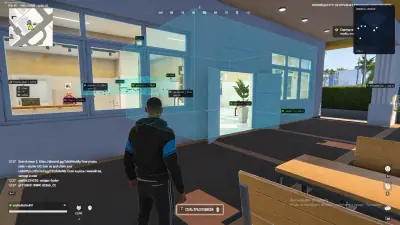
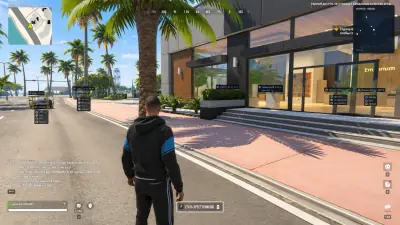
Player ESP
Roles, health and distance.
Display names, roles, health, armor, held weapons and distance.
- Criminal, cop and civilian roles
- Player boxes and skeletons
- Health and armor
- Distance controls
Explore ROB RUN Cheats for PC featuring Player ESP, customizable Aimbot, Vehicle ESP, Loot and Stash Tracking, 2D Radar, Hideout Highlights, and configurable aim settings.

Configurable
Player ESP
Available
Vehicle ESP
Available
2D Radar
Windows
Platform
Features
Explore the listed aim, player, vehicle, loot and radar controls.
Roles, health and distance.
Display names, roles, health, armor, held weapons and distance.
Visuals through cover.
Use player markers and configurable colors to distinguish visible and hidden players.
Tune target assistance.
Adjust FOV, smoothing, aim key, target priority and bone selection.
Weapon handling.
Use the listed recoil control with the other configurable combat options.
Vehicle details.
See vehicle names, distances, occupancy, lock status, health and fuel.
Find world objects.
Display cash, weapons, ammunition, stashes, safes and workbenches.
Movement controls.
Use the listed speed and movement assistance options.
Separate map view.
Organize player, vehicle, loot, hideout and objective markers on the radar.
Save your settings.
Save and load configurations for the overlay and other available controls.
Store
Compare the cheat menu and the utilities on this grid. Open a product page for the feature list and checkout.
Soft aimbot, player and vehicle ESP, loot markers, and 2D radar.
Soft aimbot, player ESP, vehicle tracking, loot markers, 2D radar and movement assist.
Disk serials, MAC addresses, and GPU IDs get a new pass. The cleaner in the license runs before the next sign-in.
After a hardware flag, this license rewrites disk serials. It also rewrites MAC addresses, GPU IDs, and related fingerprints. Trace cleanup is in the same license.
A Hyper-V environment for one Windows PC with guided installation and encrypted activation.
Cloud DMA requires GREENWARD, Static Server and AWS as separate purchases. Review all requirements before checkout.
Weapon skins and outfits, drawn on this PC, without a separate purchase for each cosmetic.
A small client paints premium weapon skins on your screen. Outfits and knife variants are included, across the major titles it lists.
Before checkout
Review product features, requirements and current compatibility before purchasing.
Player information
Player ESP lists roles, health, armor, weapons and distance.
Aim settings
Adjust FOV, smoothing, aim key, bone selection and target priority.
World visibility
Vehicle, loot, hideout and objective markers have their own categories.
Windows and Steam
The listed game configuration is Steam on Windows 10 or 11.
Cloud DMA
Cloud DMA is required for full functionality on supported builds.
Separate requirements
Cloud DMA also requires GREENWARD, Static Server and AWS as separate purchases.
PC
Platform
The listed game client is the Steam version.
2D
Radar
Organize players, vehicles, loot and objectives.
Cloud DMA
Required
Required for full functionality on supported builds.
Setup guide
Review compatibility, required purchases and the provider’s setup instructions before launching.
Check compatibility
Review requirements
Follow the setup guide
How it works
Review compatibility and separate purchases, then follow the provider’s instructions.
4 steps
Check your PC
Confirm your Windows version, Steam client and security settings.
Review Cloud DMA
Cloud DMA is required for full functionality on supported builds.
Check the full setup
GREENWARD, Static Server and AWS are separate Cloud DMA requirements.
Follow the guide
Review current compatibility and use the provider’s setup instructions.
Blog
ESP and aimbot setup, menu tuning and patch-day checks for ROB RUN.
Considering ROB RUN cheats? Understand the difference between software reliability, system security, and account safety. Learn why third-party modifications always carry risks.
Starting ROB RUN for the first time? Understand its criminal sandbox gameplay, learn about the main roles, explore Looty Bay, and discover the basics of vehicles, heists, hideouts, and multiplayer progression.
Review current purchase options and the separate Cloud DMA requirements before ordering.
FAQ
Review compatibility, features and requirements.