
Cloud DMA
A Hyper-V environment for one Windows PC with guided installation and encrypted activation.
In short
A Hyper-V environment on one PC
The guided installer sets up the virtual environment and activates the service over an encrypted connection.
Overview
Cloud DMA for ROB RUN Cheats on One Windows PC
Check Windows, Hyper-V and the separate purchases before ordering.
Check Windows compatibility, Hyper-V requirements, virtualization settings, and separate purchases before ordering.
Cloud DMA is the infrastructure layer required for full functionality of ROB RUN cheats on supported builds. It provisions a Hyper-V-based virtual environment on your existing gaming PC and completes activation through an encrypted service connection.
The setup is designed around a single Windows PC, without requiring a second physical computer, external USB DMA bridge, or PCIe DMA card.
Cloud DMA also requires GREENWARD, Static Server, and AWS as separate purchases. Review the complete requirements and current checkout costs before ordering.
Hyper-V setup on one PC
Cloud DMA provisions its virtual environment directly on your gaming PC using Hyper-V.
Check CPU virtualization support and enable Intel VT-x or AMD-V in your system firmware before starting setup.
Windows Pro, Enterprise, or Education is recommended for the Hyper-V role. Follow the installer notes for your Windows edition and confirm that your PC meets the memory and connectivity requirements.
Windows and hardware requirements
The published Cloud DMA requirements include:
- Windows 10 / 11 (64-bit). - HVCI enabled. - Core Isolation enabled. - TPM enabled. - Secure Boot enabled. - Intel VT-x or AMD-V virtualization enabled. - Hyper-V availability. - Minimum 8 GB system RAM, with 16 GB recommended. - Stable broadband internet for activation and ongoing service connectivity.
Review your Windows configuration and hardware compatibility before purchasing.
Separate Cloud DMA requirements
Cloud DMA is the infrastructure layer, not the complete ROB RUN cheat package. Additional products are required for the supported setup:
- GREENWARD: Separate purchase required. - Static Server: Separate purchase required. - AWS: Separate purchase required.
Static Server and AWS are two different products. Both are required, and neither is included in the Cloud DMA checkout.
Check the complete product requirements and current pricing before ordering to understand the total setup cost.
Included
Cloud DMA features
Cloud DMA provides the infrastructure layer; separate purchases are required.
- Single-PC setup
- Guided Hyper-V installation
- Encrypted activation
- Hyper-V environment
Setup
From purchase to activation
Follow the Windows and Hyper-V checks before you run the installer.
Setup
- Layer A
Single-PC setup
Hyper-V runs on the gaming PC and connects to the service for activation.
More products
Pairs well with
Explore the other three products and their setup requirements.
- Rob Run Cheats Soft aimbot, player ESP, vehicle tracking, loot markers, 2D radar and movement assist. View details: Rob Run Cheats
- HWID Spoofer After a hardware flag, this license rewrites disk serials. It also rewrites MAC addresses, GPU IDs, and related fingerprints. Trace cleanup is in the same license. View details: HWID Spoofer
- Skin Changer A small client paints premium weapon skins on your screen. Outfits and knife variants are included, across the major titles it lists. View details: Skin Changer
FAQ
Frequently asked questions
Review compatibility, features and requirements.
Blog
Related guides
Filter by topic to find setup guides, feature deep-dives, and patch-day notes.
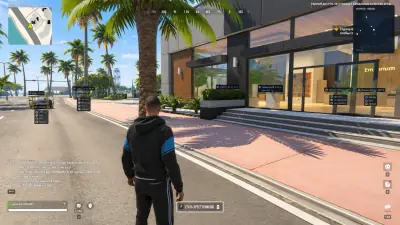
Cloud DMA is required for full ROB RUN product functionality on supported builds. Learn how the listed system uses a Hyper-V-based environment on one Windows PC without requiring a second computer or external DMA box.
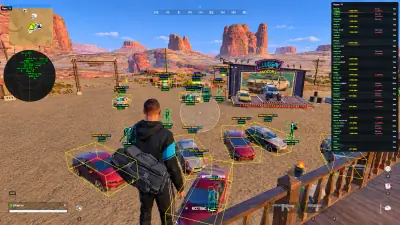
Before purchasing Cloud DMA, check whether your PC supports its virtualization and Windows requirements. This guide covers Hyper-V, memory, firmware settings, and separately required components.